

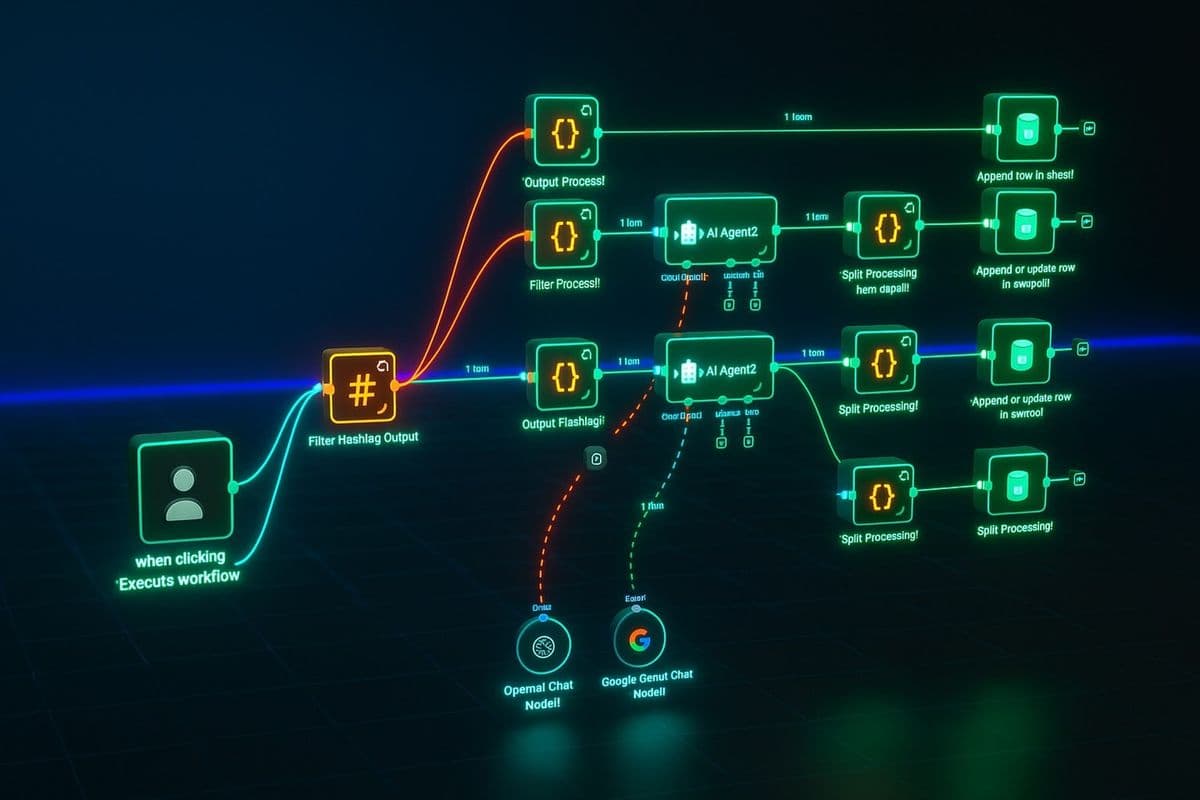
Why Free n8n Workflows Matter
Automation has quietly become one of the most valuable skills in the digital world, and n8n is one of the most exciting tools available right now for people who want to build powerful systems without burning through their budget. What makes n8n stand out is how flexible it is — you can connect apps, move data between services, and eliminate repetitive tasks in ways that actually make sense for your specific situation.
But here is where it gets really interesting. When you bring AI into the picture, you are not just moving data from one place to another anymore. You are giving your workflow the ability to think, respond intelligently, and handle tasks with a level of judgment that a basic automation simply cannot offer.
That is exactly why free n8n workflows with AI are getting so much attention right now. Freelancers, bloggers, small business owners, and solo founders want practical automation that does not require a development team or a big monthly subscription. They want systems that work quietly in the background, save hours every week, and scale as their needs grow. Once you understand the core ideas behind n8n AI automation, you will start seeing opportunities to apply it everywhere.
What n8n Actually Does (And Why It Works)
At its core, n8n is a workflow automation platform that connects different apps and services so they can work together without you doing anything manually. Instead of jumping between five tools to complete one task, you build a flow once and let it handle the work automatically. One trigger fires, actions follow in sequence, and the job gets done.
What makes n8n especially popular is that it occupies a useful middle ground. It is not locked down like some consumer tools, and it is not so developer-heavy that beginners feel lost. You can start with something simple — a two-step flow — and gradually move into more complex automations as you get comfortable. And unlike some competitors, n8n is open-source, which means you can self-host it for free and have full control over your data.
That openness is a big reason why n8n workflow automation has become a go-to choice for people building AI-powered systems on a budget. The tool bends to fit your process instead of forcing you to change how you work.
Why AI Makes n8n Workflows So Much More Powerful
A standard workflow is essentially a rule-following machine. It does what you tell it, in the order you set, every time. That is useful, but it has obvious limits. The moment you add AI into an n8n workflow, things shift. Now your automation can generate content, summarize documents, classify incoming data, extract key details from messy input, and even help make decisions based on context.
Think about what that actually means in practice. You could build an n8n AI workflow that collects customer feedback through a form, sends each response to an AI model for analysis, and automatically tags each entry by sentiment and topic — all without opening a single spreadsheet. Or you could set up a workflow that monitors your inbox, identifies messages that need a response, and drafts a reply using AI that you only need to review and send.
These are not fantasy automations for large companies. They are genuinely achievable setups that individuals and small teams are building right now using n8n with OpenAI, Claude, or other AI integrations. The real power comes from combining n8n's flexibility with AI's ability to handle the fuzzy, judgment-dependent parts of a task.
How to Build Your First n8n AI Workflow (Step by Step)
The single biggest mistake beginners make is starting too big. If you try to automate an entire process on your first attempt, you will get stuck and frustrated. Instead, pick one specific problem — something you do repeatedly that eats up time. That is your starting point.
Here is a simple approach that works:
Step 1 — Pick the problem. Choose something concrete, like summarizing meeting notes, sorting new leads into categories, or drafting a first response to a common type of email.
Step 2 — Set up your trigger. In n8n, every workflow starts with a trigger — the event that kicks things off. This might be a new form submission via Typeform or Tally, a scheduled time, a new row added to a spreadsheet, or an incoming webhook from another tool.
Step 3 — Add your AI step. This is where the magic happens. Connect an AI node — n8n has native integrations for OpenAI, and you can connect others through HTTP nodes. Feed it the data from your trigger and write a clear prompt telling it what to do. Summarize this. Classify this. Rewrite this. Extract the key points from this.
Step 4 — Handle the output. Decide where the AI's response should go. Save it to a Google Sheet, send it to a Slack channel, update a database, trigger an email — the choice depends on your use case.
Step 5 — Test and refine. Run the workflow with real data. Check the output. Tweak the prompt if the AI result is not quite right. Adjust the flow if something breaks. This iteration step is where you learn the most.
That entire process can produce a working free n8n automation in an afternoon. The key is keeping the first version small enough that you can actually finish it.
Practical n8n Workflow Ideas for Beginners
One of the best things about learning n8n AI automation is that there are so many genuinely useful things you can build, even at the beginner level. Here are a few ideas that are simple to set up but immediately valuable:
AI-powered lead summarizer — When a new lead fills in a contact form, send their response to an AI step that summarizes their needs and suggests a follow-up action. Save the summary to a CRM or Google Sheet.
Content idea organizer — Pull content ideas from a Notion database or a spreadsheet, send them to AI with a prompt asking it to group them by theme or priority, and write the organized version back to a new sheet.
Email draft assistant — Trigger a workflow when a specific type of email arrives, extract the key information, and use AI to draft a contextually appropriate reply for your review.
Meeting notes cleaner — Paste raw meeting notes into a form, trigger the workflow, and let AI reformat them into a clear summary with action items. Save to Notion or send via email.
Social post generator — When you publish a new blog post, automatically pull the title and excerpt, send it to AI, and generate three social media caption options saved to a shared doc.
Each of these is a real n8n use case that solves an everyday problem. They are also excellent starting points if you are learning how n8n workflow automation for beginners works in practice.
How to Keep Your n8n Automation Completely Free
Yes, you can build genuinely useful AI workflows without spending anything — at least to start. The strategy is straightforward: use free tiers intelligently, keep things simple, and only add complexity when you have proven the workflow actually works.
Here is what that looks like in practice:
n8n itself — Self-host the open-source version for free on a cloud VM (Oracle Free Tier, for example, offers always-free instances) or run it locally during development.
AI models — OpenAI offers a free trial with enough credits to test most beginner workflows. Anthropic and Google also offer free tiers for their APIs. Use them for initial builds before committing to paid usage.
Connected tools — Most of the apps you will connect to n8n (Google Sheets, Gmail, Slack, Notion, Typeform) have generous free tiers that cover everything you need at the beginning.
The goal at this stage is not to build something enterprise-grade. It is to prove that the workflow solves a real problem. Once you can see it working, you will know exactly which parts are worth paying for and which can stay free. This approach keeps free n8n workflows accessible to anyone who wants to explore AI automation without financial risk.
What Makes a Workflow Actually Good
More steps do not make a workflow better. Reliability, clarity, and focus do. The best automations are the ones that solve one specific problem cleanly and run without breaking every other week. This is especially important in n8n AI workflows, because the more complexity you add, the harder it becomes to debug when something goes wrong.
A few principles worth keeping in mind:
Start with the outcome. Know exactly what you want at the end before building the first step.
Write better prompts. The quality of your AI output is almost entirely determined by the quality of your prompt. Spend time on it.
Handle edge cases. What happens if the trigger fires with empty data? What if the AI returns something unexpected? Build in simple error handling early.
Document as you go. Add notes to your n8n nodes explaining what each step does. Future you will be grateful.
A well-designed workflow should feel invisible — it just works, quietly saving you time every day without demanding attention.
The Real Opportunity Behind n8n AI Automation
Learning to build n8n workflows with AI is not just a technical skill. It is a practical advantage in a world that is moving fast toward intelligent automation. People who understand how to combine these tools can build systems for content creation, lead management, customer communication, and business operations at a fraction of the cost and time it would take to do manually.
More importantly, it changes how you think about your work. Once you build your first workflow and see it running on its own, you start noticing automation opportunities everywhere. That mental shift — from doing tasks to building systems — is genuinely valuable no matter what field you are in.
And the barrier to entry has never been lower. You do not need a background in software development. You do not need a large budget. You just need a clear problem, a bit of patience, and the willingness to learn through building.
Final Thought
Free n8n workflows with AI represent one of the most practical ways to bring intelligent automation into your daily work without making it complicated or expensive. Start small, focus on one problem at a time, and build incrementally. The first workflow is always the hardest. After that, each one gets easier and more ambitious.
If you are ready to explore what AI automation can look like in practice, take a look at the n8n workflow library on AIStackflowHub — a curated collection of ready-to-use workflows across categories that you can adapt for your own use cases.
Related Keywords to Target (LSI & Supporting Terms):
n8n workflow automation
n8n AI integration
free n8n automation
n8n with OpenAI
n8n workflow tutorial
n8n beginner guide
n8n self-hosted automation
AI workflow builder free
n8n use cases
n8n workflow examples
automate tasks with n8n
n8n no-code automation
n8n workflow for freelancers
n8n productivity automation
n8n open source workflow tool
build AI workflows for free
n8n workflow automation for beginners
n8n automation ideas 2025